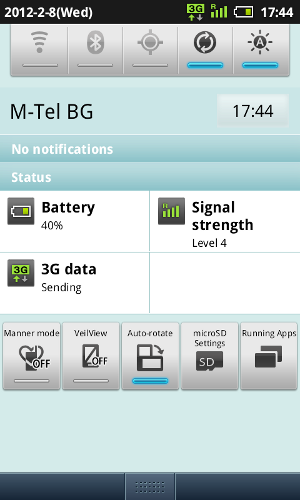
3G data works with new hypersim on the 005SH
Created:
Getting 3G data to work on a hypersim-unlocked SoftBank Android isn't an easy job. Few hyperims will let your phone connect to the 3G network - my old generic hypersim (bought in 2008) does the trick and so does this one sold on IP Mart for just 13 USD.
The problems you are likely to encounter are:
1. Hypersim cannot switch between 3G and GSM (so AUTO mode is not recommended). If you lose signal, you will need to perform CPR.
2. In 3G mode, incoming calls will most probably not work.
3. If you want 3G data and incoming calls to work, you need to keep an open data connection. This is achievable by having Skype run all the time on your phone - or another application that keeps an open data channel at all time. Be warned that this will drain your battery very quickly! My 005SH lasts 5-6 hours with a fully charged battery at best.
I have tested Viber but it doesn't do the trick. If I discover another app that is less intensive on the battery, I will post info here.
Also keep in mind that if you lose signal, you need to perform CPR in the mode you want to use on the SoftBank Android. Example:
1. If you want GSM, put your SIM in a normal phone and switch it to GSM only, make a call, then remove, attach hyperim and insert into the SoftBank Android.
2. If you want 3G, put your SIM in a normal phone and switch it to 3G only, make a call or (better) call your number from another phone, then remove, attach hyperim and insert into the SoftBank Android.
You will probably need to search for network manually in both cases.
Advertisement