Watch 3D films on your phone in HD!
Created:
All Sharp 3D capable Android phones can play HD (720p) 3D films. Devices equipped with dual core processors, e.g. the SH-01D and all newer models, can play 1080p too.
The films must be in either the .MP4 or .M4V format and the audio must be set to stereo (5.1 channel or others are not supported).
The maximum file size I have tested is 2.0 GB on the 005SH. The SH-01D can play larger files too, an 8 GB file will run just fine.
Download any 3D film in SBS (side-by-side) format. If the format is different from MP4/M4V, use some video conversion software - I personally prefer OJOsoft Total Video Converter.
Use the following settings:
Frame size: 1280 x 720 (* or 1920 x 1080)
Display aspect: 1.78:1
Resize method: letterbox
Video compression: H.264/AVC
Bit rate: original
Frame rate: original
Audio format: MPEG2/4 AAC/LC
Bit rate: original
Frequency: original
Channels: stereo
Volume: original
Use sync mode: default
Set FPS: do nothing
Convert FPS: no
Interlace/Deinterlace: default
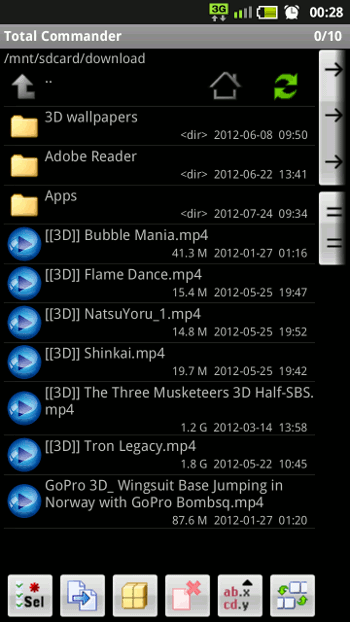
Put [[3D]] at the start of the file name if you want the player to automatically start in 3D format. Otherwise you will need to switch to 3D by tapping the icon in the top left of the screen, e.g. [[3D]] The Three Musketeers 3D Half-SBS.mp4
A double tap on the screen once the film starts playing will switch the player to 3D Cinema Mode. Personally, I like this mode better than 3D Normal. The switch is also available from the menu.
Enjoy!
Advertisement