Updating Japanese Sharps outside Japan in 2021
Created:
OS: Android
Here's how to update your Japanese Sharp phone if you're outside of Japan. The guide applies not only to carrier-branded devices (such as Docomo and SoftBank) but also for the SIM-free phones.
This method has long been known but this is my first personal test – I used to have Docomo phones over the past 10 years. I had to test this method now that I have the Aquos R3 808SH.
- Reset your phone to factory settings. You don't need to wipe your SD card.
- Remove your SIM card.
- When the phone reboots, do not allow any automatic location detection, not even for the time zone. Set your time zone to Japanese time.
- Launch Google Play. You'll have to log in to your Google account if the phone hasn't asked you to yet. That's fine. Google won't pass your account's location information to the Softbank servers.
- Find a Japan VPN app. There are several available. I used Japan VPN (no longer available).
- Launch the app and start the VPN service. Your location will now show as "Japan".
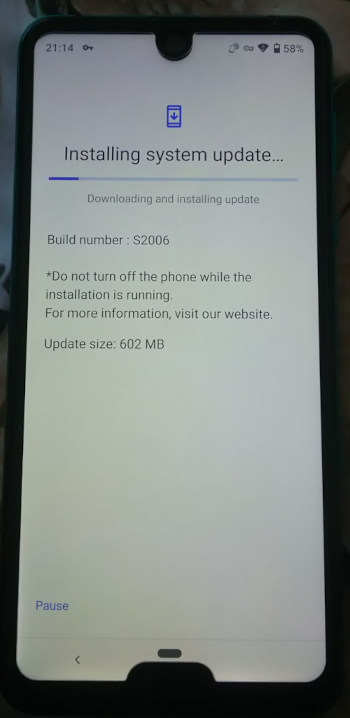
- Navigate to Settings > System > Advanced > System update. You should see the available update. Just start it and wait until it completes.
Have fun restoring your phone to its previous state (settings, apps, etc.). It took me several hours.
To check if an update is available for your phone, keep an eye on this page: https://jp.sharp/k-tai/news/.
Advertisement